Finding profitable products is only one part of building a successful Amazon business.
Once your inventory arrives at Amazon, you still need to price it correctly, compete for the Buy Box, protect your profit, and get your cash back as quickly as possible.
That becomes much more difficult as your business grows.
When you are first getting started and only have 10, 20, or 30 products, you may be able to manage your pricing manually. You can log into Seller Central, review your listings, and make adjustments yourself.
But once you grow to hundreds of ASINs and thousands of listings, manually monitoring every price becomes extremely time-consuming.
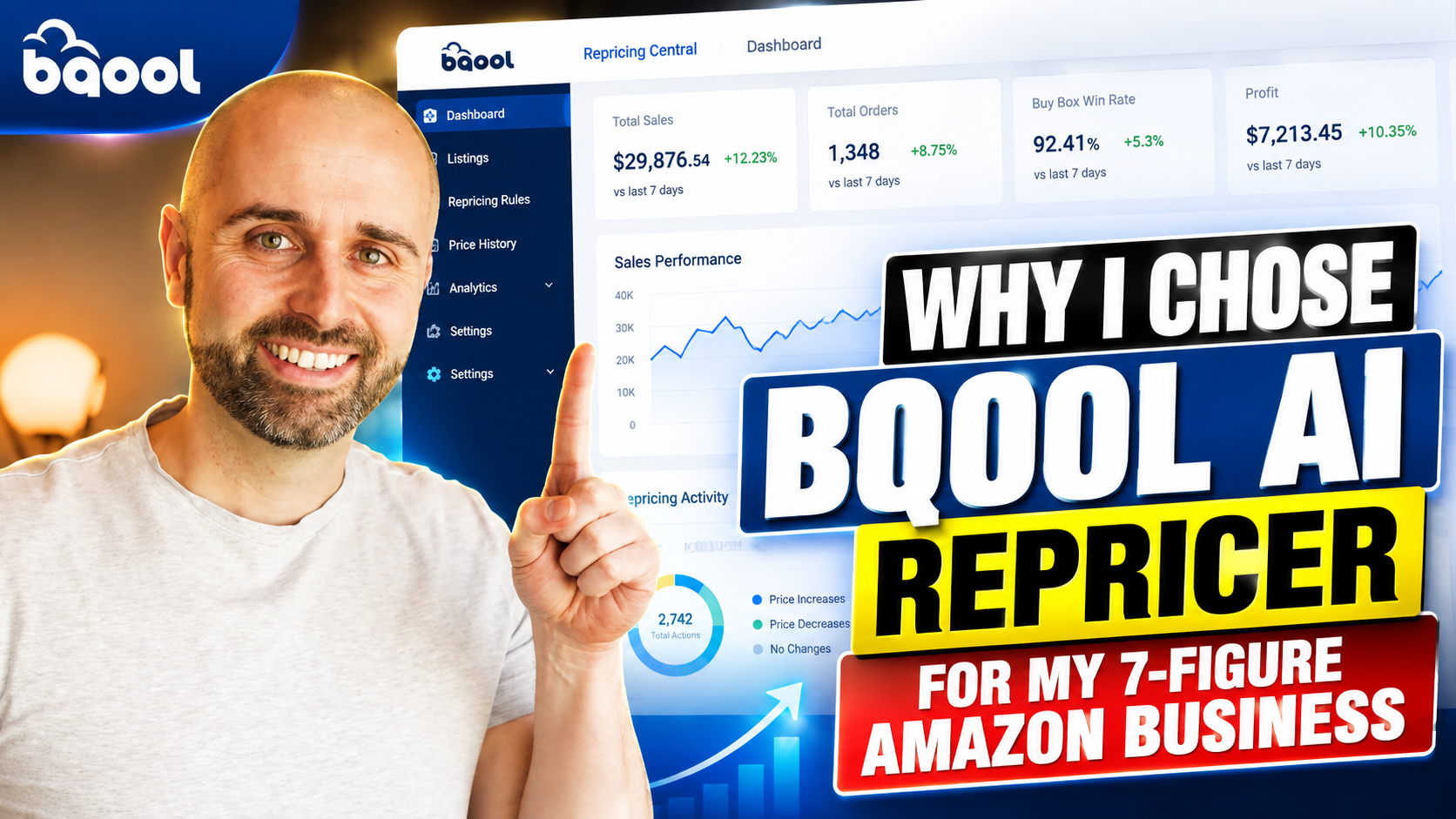
That is why I use the BQool AI Repricer in my Amazon business.
I have been selling on Amazon for more than 10 years, and I have used BQool for over five years. Over the last year, my business sold more than 10,000 products for over $1 million in sales.
With that amount of inventory moving through my account, I need a repricer that gives me control, helps me compete for the Buy Box, and does not automatically create a race to the bottom.
In this article, I am going to explain:
- Why repricing becomes so important as an Amazon business grows
- Why I chose BQool over other repricers I tested
- How I use its AI strategies and pricing controls
- Why the SellerAmp integration is so valuable to my team
- What every Amazon seller should consider before choosing a repricer
Watch My Full BQool Review
Before getting into the full breakdown, I recently recorded a detailed video showing exactly how I use BQool inside my Amazon business.
I take you inside my actual account and show you the:
- BQool dashboard
- AI-generated sales
- Buy Box win percentages
- Minimum and maximum pricing controls
- Different AI repricing strategies
- Inventory-age information
- Profit, margin, and ROI calculator
- Conditional repricing rules
- SellerAmp integration
This is not just a basic overview. You will be able to see how the software actually fits into my day-to-day business.
Watch the full video below:
(Click Here to Watch on YouTube)
What Is an Amazon Repricer?
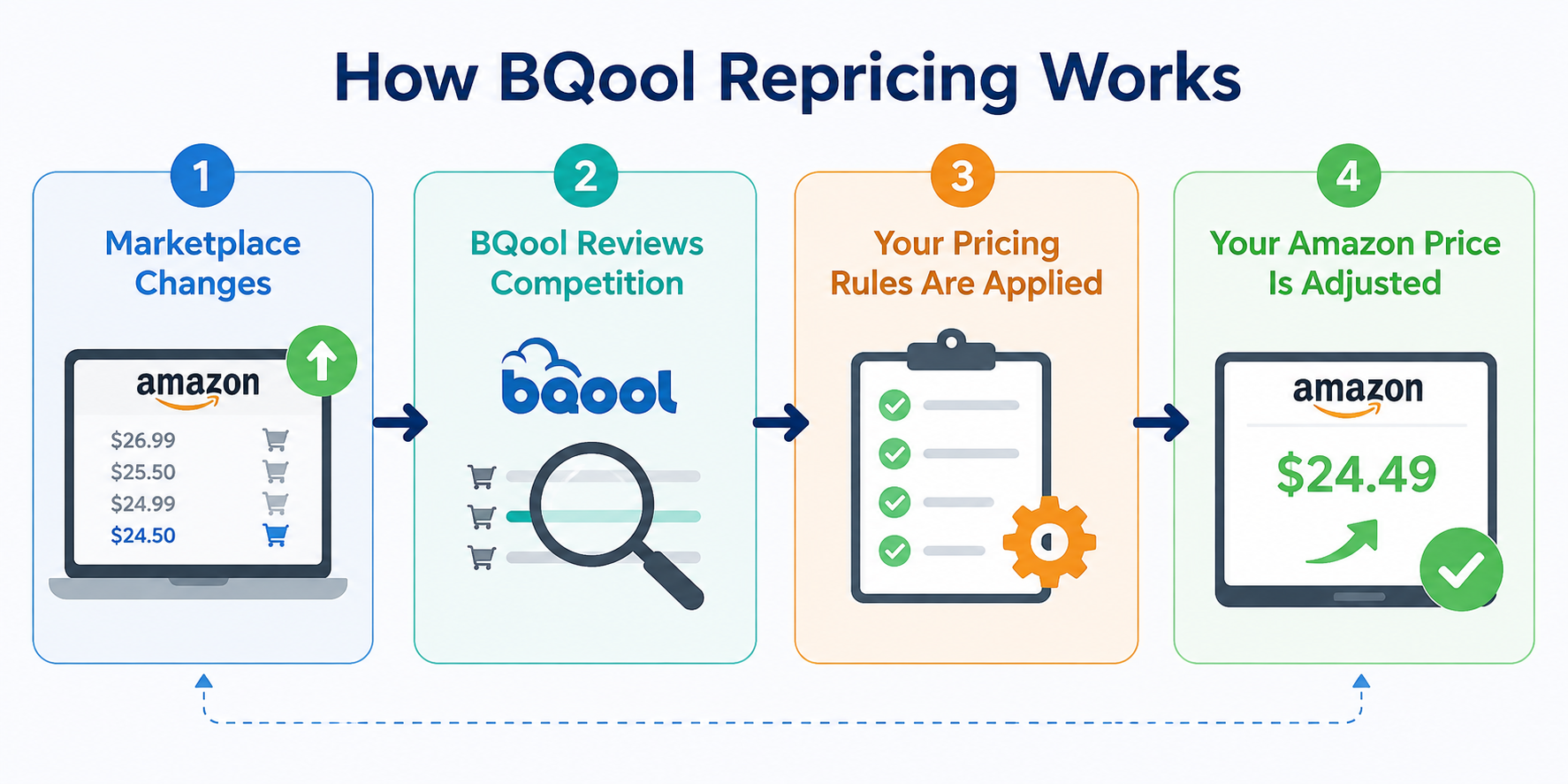
An Amazon repricer is software that automatically adjusts the prices of your listings based on the rules and strategies you select.
Instead of manually checking every listing throughout the day, the repricer monitors the marketplace and updates your prices for you.
The goal is not always to become the lowest-priced seller.
That is something many newer Amazon sellers misunderstand.
Being the lowest price does not automatically guarantee that you will win the Buy Box.
For example, an FBA seller can sometimes win the Buy Box while being priced higher than a merchant-fulfilled seller.
A good repricer should help you compete intelligently.
It should respond to changes in the marketplace while still respecting the minimum price, maximum price, and strategy you have chosen.
That is very different from blindly lowering your price every time another seller makes a change.
Why the Buy Box Matters
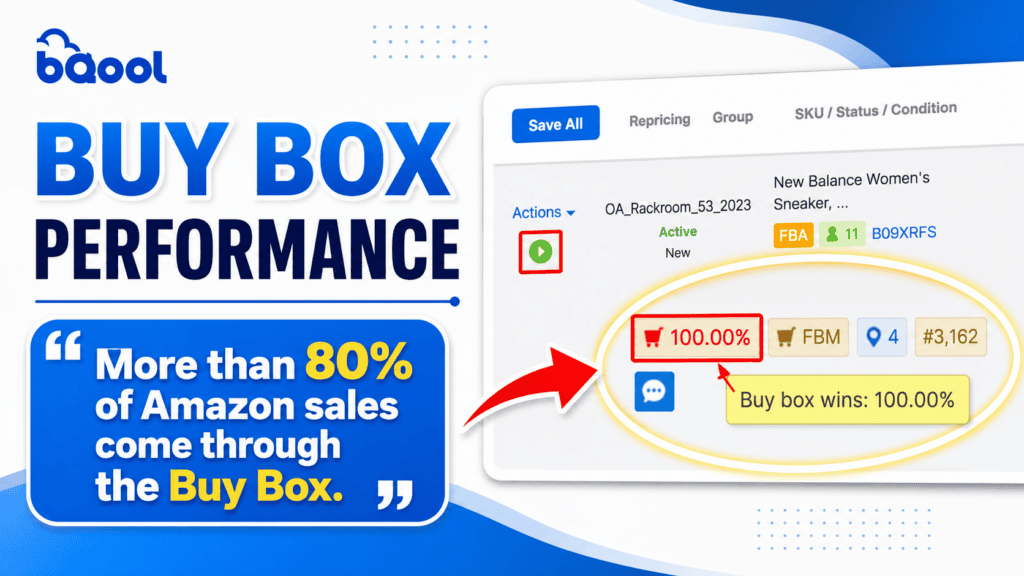
The Buy Box is where most Amazon sales take place.
When a customer clicks the main Add to Cart or Buy Now button, the seller currently controlling the Buy Box will usually receive the order.
In the video, I explain that more than 80% of Amazon sales come through the Buy Box. That is why having a real pricing strategy becomes so important as your catalog grows.
You could have a great product with healthy demand and strong profit potential, but if you are consistently losing the Buy Box, your inventory may take much longer to sell.
That creates several problems:
- Your cash stays tied up
- Your inventory gets older
- Your storage costs can increase
- You lose opportunities to reinvest in new products
At a small scale, you may be able to manage this manually.
At a larger scale, it becomes nearly impossible.
Every product has different competition, demand, margins, and inventory age.
Some products should be priced more aggressively.
Other products may be selling well enough that you can hold a higher price and protect more profit.
That is why I do not want one basic pricing rule applied across my entire inventory.
A Repricer Can Help or Hurt Your Business
One of the biggest lessons I have learned is that a repricer is not just another software subscription.
It is a business partner.
Your repricer is connected to your Amazon inventory and controls the prices customers see.
If it works properly, it can help you:
- Win more Buy Box time
- Sell inventory faster
- Protect your margins
- Improve your cash flow
- Reduce manual work for your team
If it does not work properly, it can create chaos.
I have used other repricers in the past that caused problems in my business.
I dealt with prices dropping too low, minimum and maximum prices not working the way I expected, and strategies that did not give me enough control.
A repricer can look impressive during a demo, but what matters is how it performs when it is connected to thousands of dollars in inventory.
I do not want software that blindly attacks the lowest price.
I also do not want software that is so confusing that my team cannot use it correctly.
I want a system that is reliable, easy to understand, and flexible enough to handle different types of inventory.
That is what I found with BQool.
Reason #1: BQool Has a Long Track Record
When I choose software for my business, especially software that controls pricing, experience matters.
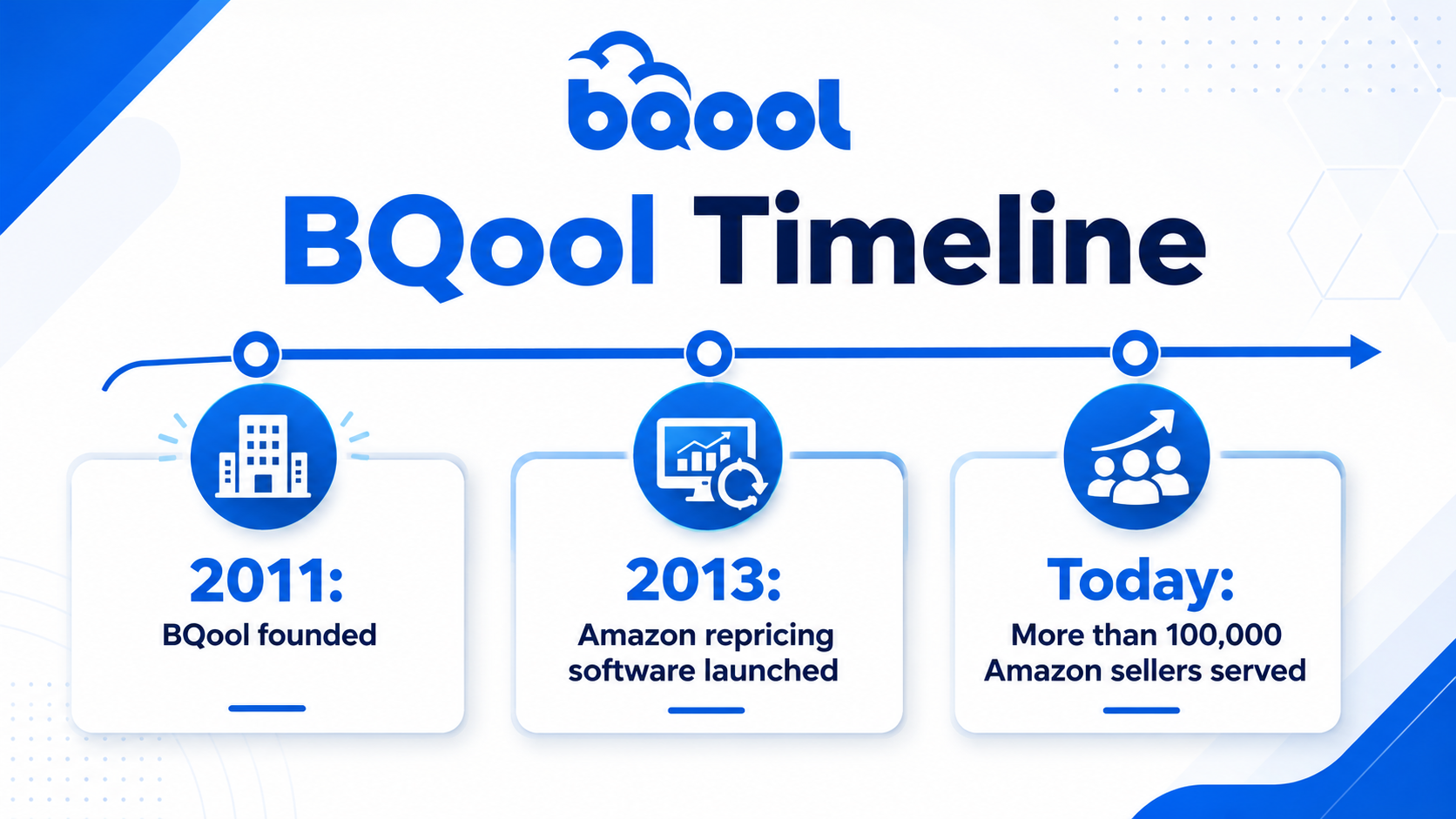
BQool was founded in 2011, and its Amazon repricing software has been available since 2013. The company has also served more than 100,000 Amazon sellers.
For me, that creates an additional level of trust.
I would rather work with a company that has been in the Amazon space for years, supported a large number of sellers, and had time to improve its systems.
No software is perfect.
Every software company will run into bugs or issues from time to time.
The important question is whether the company has the experience and support to help when something goes wrong.
Reason #2: The Customer Support Has Been Excellent

Repricing software can feel overwhelming when you first start using it.
You are dealing with:
- Minimum prices
- Maximum prices
- AI strategies
- Buy Box competition
- Inventory conditions
- Different profit goals
When I first signed up for BQool, I remember spending around an hour and a half on a call with one of their agents.
They helped me work through the setup and answered my questions.
That made a strong impression on me.
Customer support is important with any software, but it becomes even more important when that software controls something as sensitive as your pricing.
I want to know that I can send an email, use live support, or speak with someone when I need help.
The features matter, but having a real company behind the product matters too.
Reason #3: Minimum and Maximum Prices Protect My Business
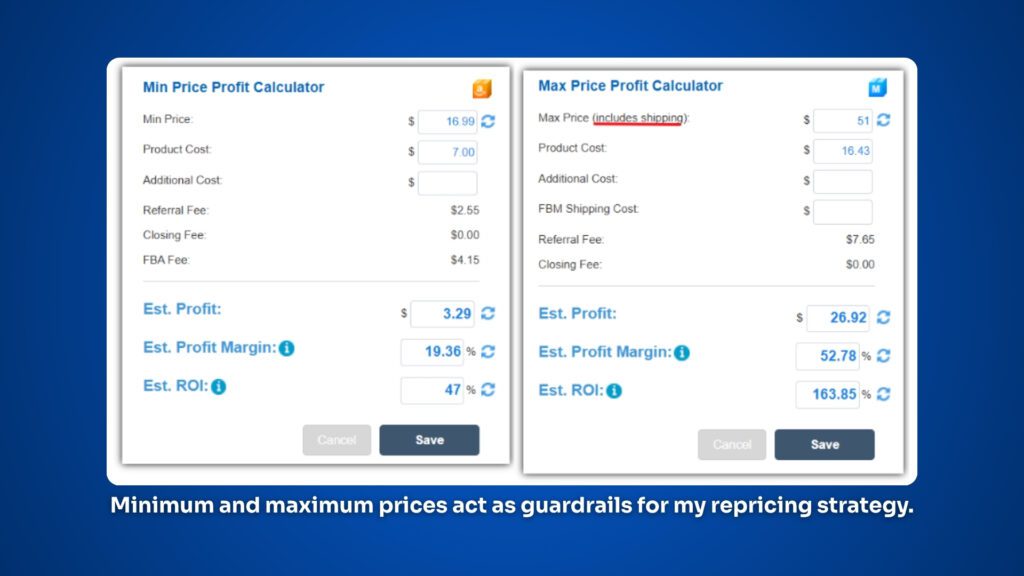
One of the most important BQool features is the ability to set a minimum price and maximum price for every product.
I think of those numbers as guardrails.
The minimum price protects me from selling an item too low.
The maximum price keeps the repricer within the range I believe makes sense for that product.
For example, I may set:
- Minimum price: $43.99
- Maximum price: $50.99
BQool can move the price within that range based on the strategy I choose, but it should not simply drop below my minimum because another seller lowered their price.
That control is extremely important.
I want automation, but I do not want to give up responsibility for my pricing.
The repricer should execute the strategy I create. It should not make reckless decisions without limits.
Before setting a minimum price, I also want to understand what happens financially if the item sells at that number.
- Will I still make enough profit?
- Will I hit my minimum ROI?
- Will the margin still make sense?
- Have I included all of my costs and overhead?
BQool includes a calculator that allows me to review the potential profit, margin, and ROI at a specific selling price.
It can account for the product cost, Amazon referral fees, FBA fees, and additional overhead.
This makes it easier for me and my team to set minimum prices based on real numbers instead of guessing.
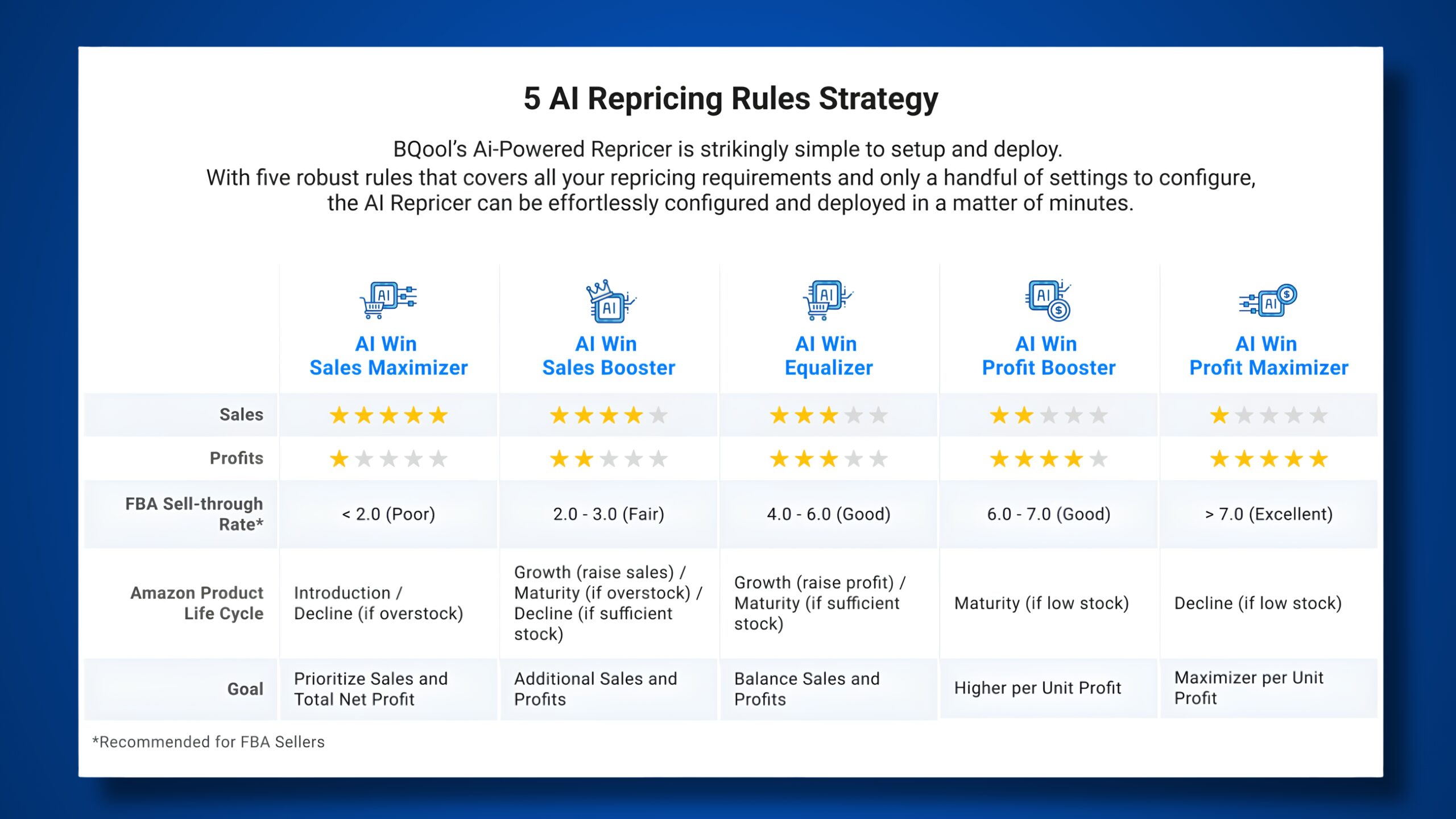
Reason #4: I Can Use Different AI Repricing Strategies
Not every product should be treated the same.
That is one of the biggest reasons I like having access to multiple AI repricing strategies.
BQool lets me choose a strategy based on what I am trying to accomplish with each product.
AI Equalizer
I look at AI Equalizer as more of a balanced or middle-ground strategy.
It is not designed to push every listing all the way down to the minimum price, but it is also not trying to hold everything at the highest possible price.
This can be useful when I want a balance between sales velocity and profit.
AI Grow Profit
AI Grow Profit can focus more heavily on improving profitability.
I may choose this type of strategy when a product is selling consistently and I do not need to price it as aggressively.
AI Max Profit
AI Max Profit can stay closer to the higher end of the pricing range.
This may make sense when demand is strong, competition is limited, or I believe the product can support a higher price.
AI Sales Booster
AI Sales Booster can be more aggressive.
I may use this strategy when I want to increase sales velocity or when an item has been sitting in inventory longer than expected.
BQool gives me the ability to use different strategies depending on whether I want balance, more profit, maximum profit, or faster sales.
Imagine I have two products.
The first product is selling consistently and has only been in inventory for a few weeks.
The second product has been sitting in FBA for more than 90 days and is tying up cash.
I would not necessarily use the same repricing strategy for both products.
For the first product, I may focus more on protecting profit.
For the second product, I may choose a more aggressive strategy to help move the inventory.
The right strategy depends on the product, the competition, the buy cost, and the goal.
Reason #5: Inventory Age Helps Me Decide How Aggressive to Be
Inventory age is one of the most important factors in repricing.
A product that has been sitting in FBA for 10 days is very different from a product that has been sitting there for 180 days.
In my business, we are generally trying to sell our inventory within one to two months.
That does not happen with every product, but that is the goal.
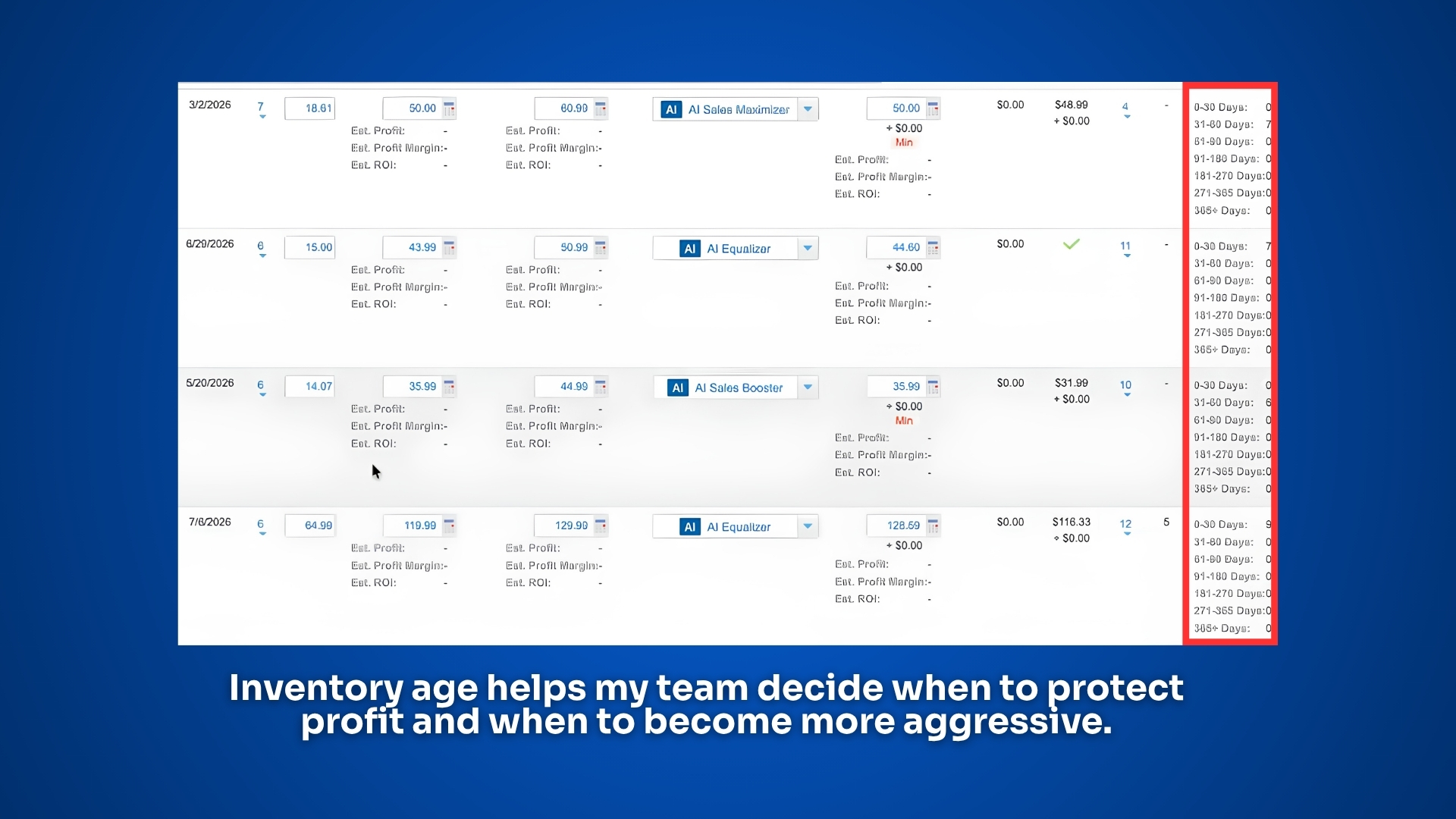
BQool lets me see inventory-age ranges directly inside the platform.
I can identify whether a product has been in inventory for:
- 0 to 30 days
- 31 to 60 days
- 61 to 90 days
- 91 to 180 days
- 181 to 270 days
- Or longer
This information helps me and my team determine how aggressive we should be.
If a product has only been sitting for a few weeks, we may not need to make a major pricing change.
If it has been sitting for several months, we may need to:
- Lower the minimum price
- Switch to a more aggressive strategy
- Review the listing more closely
- Reconsider our sales expectations
This is where repricing becomes more than reacting to competitors.
You are also managing the health of your inventory and protecting your cash flow.
Reason #6: Conditional Repricing Can Automate Advanced Decisions
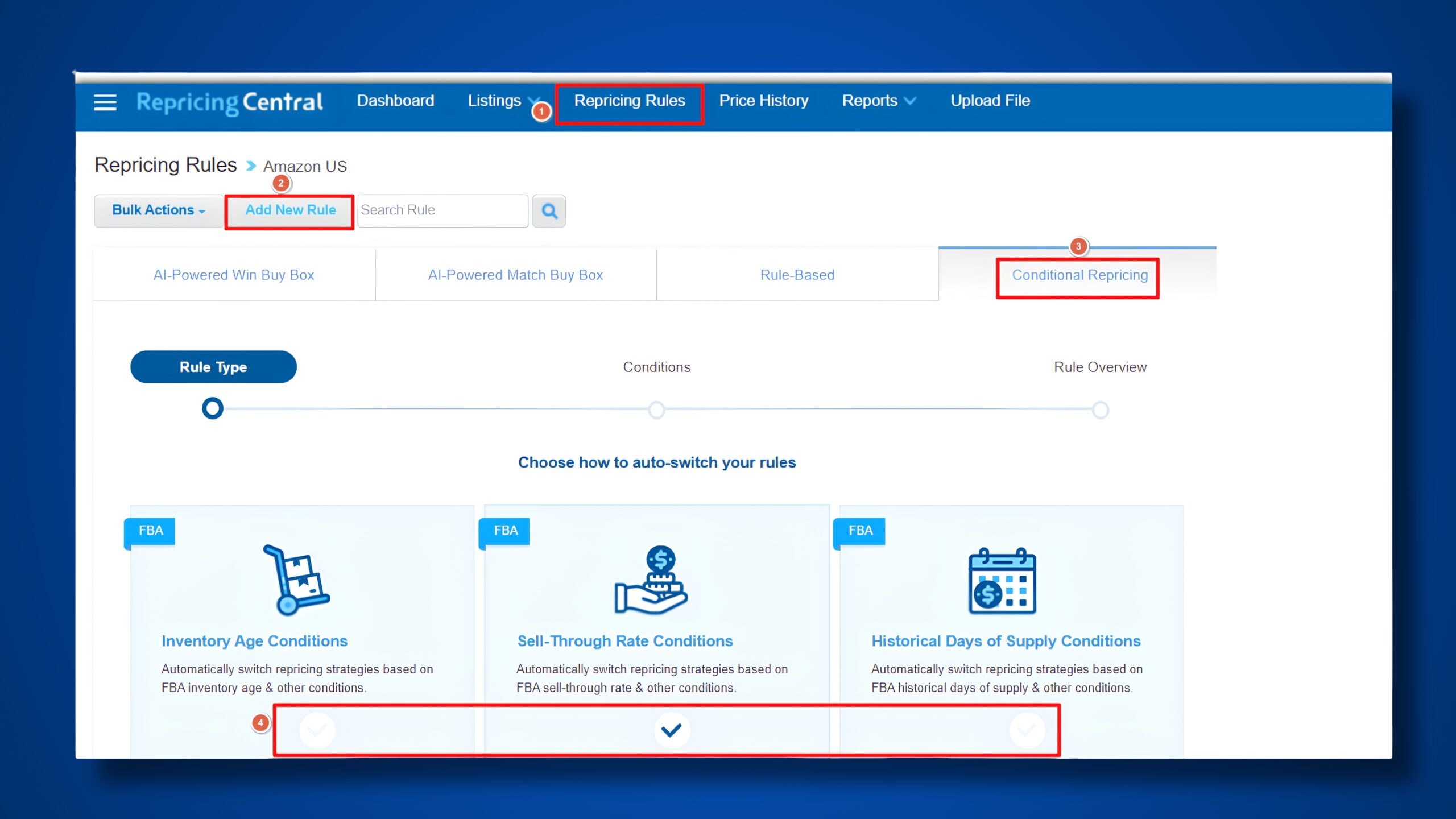
Conditional repricing is one of BQool’s more advanced features.
It allows you to change your repricing strategy when certain conditions are met.
For example, you could create a rule that automatically changes a product to a more aggressive strategy after it has been sitting in inventory for 90 days.
Conditional rules can also be based on factors such as:
- Inventory age
- Sell-through rate
- Historical days of supply
- Current inventory levels
- Buy Box win percentage
- Whether the Buy Box is suppressed
- How long a listing has remained at its minimum price
- Whether the listing has failed to win the Buy Box
- Whether inventory was recently restocked
When a condition is triggered, BQool can change the repricing strategy, adjust the minimum price, move the price relative to the Buy Box, set a fixed price, or temporarily stop repricing.
This is extremely powerful, but it needs to be set up carefully.
Advanced automation can save a lot of time, but it can also create problems if the rules are configured incorrectly.
You need to understand what the rule is doing and build strong guardrails around it.
For example, you do not want an inventory-age rule to repeatedly lower your minimum price until the product becomes unprofitable.
The goal is to make your pricing smarter, not reckless.
Reason #7: The SellerAmp Integration Saves My Team Time
One of the biggest reasons BQool fits my business is its integration with SellerAmp.
SellerAmp is already a major part of how my team researches and analyzes products.
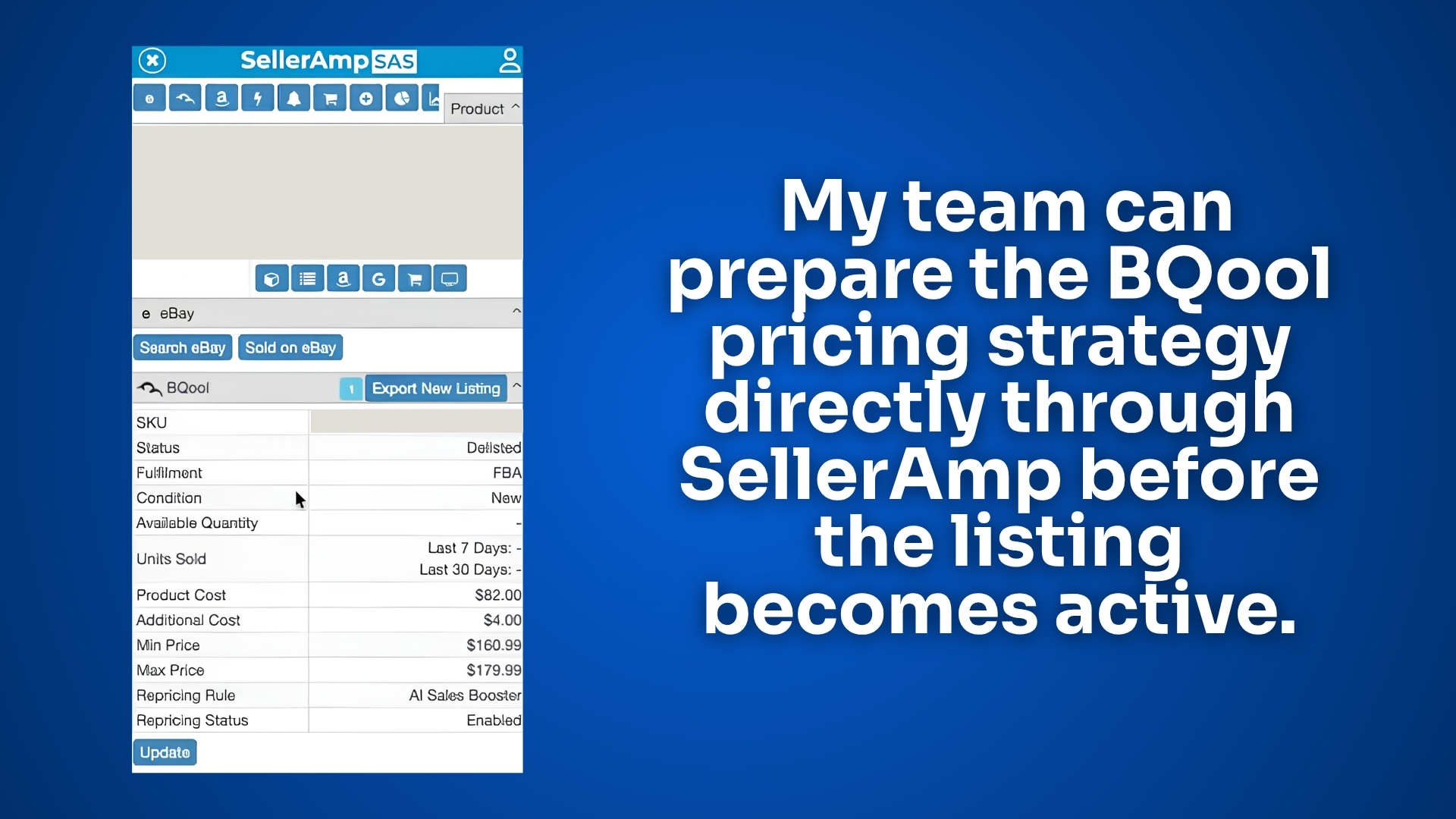
When we purchase an item, we can enter important information such as:
- Product cost
- Additional expenses
- Minimum price
- Maximum price
- Repricing strategy
We can set those details through SellerAmp and push them through to BQool.
Then, when the item arrives at Amazon and becomes active, the repricing settings can already be in place.
This is a major time-saver.
Without this workflow, my team may need to:
- Wait for the item to become active
- Search for it inside the repricer
- Review all of the numbers again
- Set the minimum price
- Set the maximum price
- Choose the correct strategy
- Enable repricing
That creates additional work.
It also creates more opportunities for mistakes.
A product could go live without a minimum price.
The wrong rule could be selected.
The team could forget to enable repricing.
The product could sit at the wrong price for days.
With the SellerAmp integration, the strategy can be prepared earlier.
Once the product becomes active, BQool can begin repricing it based on the settings we already selected.
That helps us start competing for the Buy Box faster and creates a much cleaner workflow for my team.
Reason #8: The Dashboard Shows Me What Matters
I do not want to log into software and spend 20 minutes trying to understand what I am looking at.
I want the important information to be easy to find.
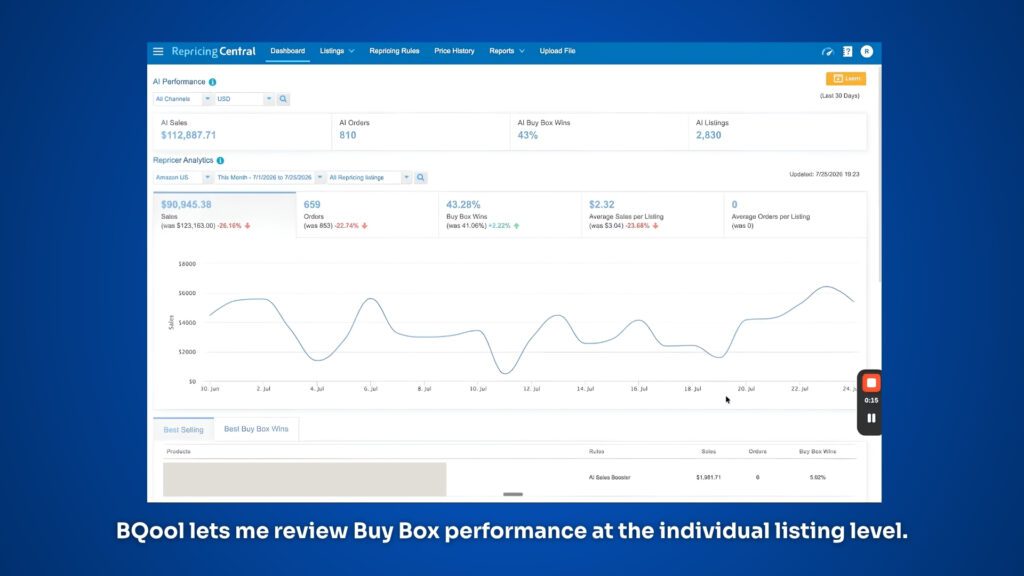
Inside BQool, I can review data such as:
- AI-generated sales
- Orders connected to AI repricing
- Buy Box win percentage
- Active and inactive listings
- Repricing rules being used
- Listings missing a minimum price
- Listings missing a maximum price
- Listings without a repricing rule
- Listings currently at their minimum price
- Listings currently at their maximum price
- Listings where I am the only seller
- Listings with competition below my minimum
This visibility helps me identify problems quickly.
If listings are missing a minimum price or repricing rule, I can share that information with my team and have them fix it.
I can also review the Buy Box percentage for individual listings and see whether the current strategy appears to be working.
In one example from my account, I was winning the Buy Box 90% of the time on a listing.
On other products, I could see Buy Box win percentages of 56% and 73%.
That type of information helps me evaluate what is happening instead of making decisions blindly.
Reason #9: The Interface Is Easy for My Team to Use
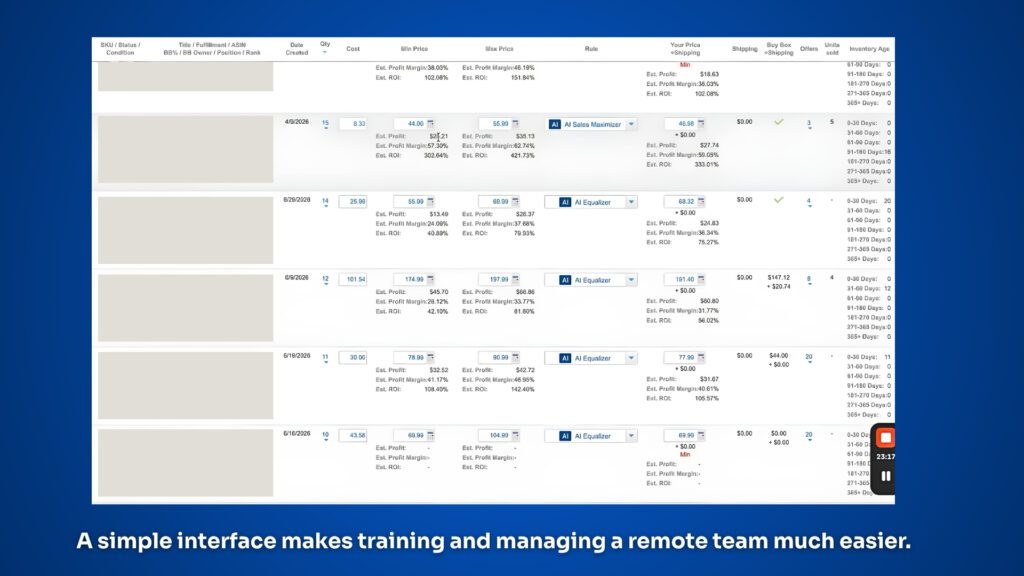
This may not sound as exciting as AI strategies or conditional repricing, but it is one of the biggest reasons I continue using BQool.
The interface is easy to understand.
I do not like software with a million buttons, confusing menus, or important settings spread across different screens.
Complicated software slows me down.
It also makes training more difficult.
I have multiple people on my team who log into BQool. Some of them are based in the Philippines, and they are not longtime Amazon sellers.
I need software they can learn and use consistently.
The platform still needs advanced features, but the everyday workflow should remain simple.
I want my team to be able to:
- Find a product
- Review the cost
- Set the minimum and maximum prices
- Choose the correct strategy
- Save notes
- Move on to the next listing
BQool gives me the advanced features I need without making the basic process feel unnecessarily complicated.
What I Like Most About BQool
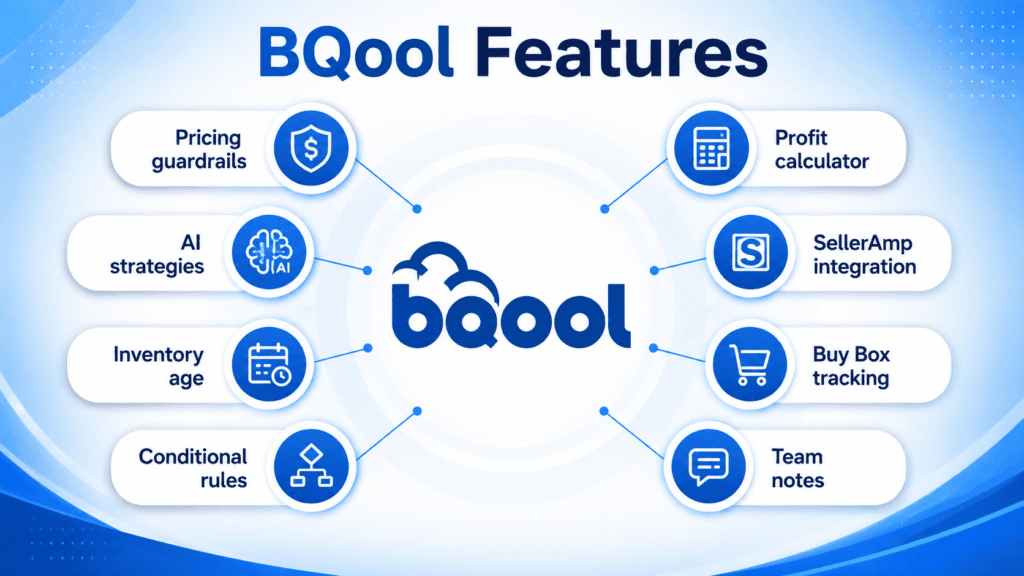
After using BQool for more than five years, these are the features that matter most to me:
✅ Minimum and maximum price guardrails
✅ Multiple AI repricing strategies
✅ Inventory-age visibility
✅ Conditional repricing rules
✅ Profit, margin, and ROI calculations
✅ SellerAmp integration
✅ Buy Box tracking
✅ Team notes
✅ Customer support
✅ A clean and easy-to-use interface
Not every seller will use every feature.
Some sellers may only need basic repricing and price protection.
Others may want to build advanced conditional strategies based on inventory age, sell-through rate, or Buy Box performance.
The flexibility is what makes the software useful as a business grows.
What Amazon Sellers Should Keep in Mind
There are a few important things to understand before using any repricer.
A Repricer Cannot Fix a Bad Product
If you purchased a product with weak demand, poor margins, too much competition, or an unrealistic selling price, a repricer cannot magically turn it into a great deal.
Product research still matters.
Your buy cost still matters.
Your sales expectations still matter.
A repricer can help a good product compete more effectively, but it cannot fix every bad buying decision.
Your Minimum Prices Need to Be Accurate
A repricer is only as safe as the limits you give it.
If your minimum price does not account for Amazon fees, product cost, prep fees, shipping expenses, and overhead, you could still lose money.
Take the time to calculate your minimum prices correctly.
Advanced Rules Should Be Tested Carefully
Conditional repricing is powerful, but you need to understand the rules before applying them across your inventory.
Start carefully.
Review the results.
Make sure the software is behaving the way you expect.
Automation should make your business more efficient, but you still need to monitor it.
Who Is BQool Best For?
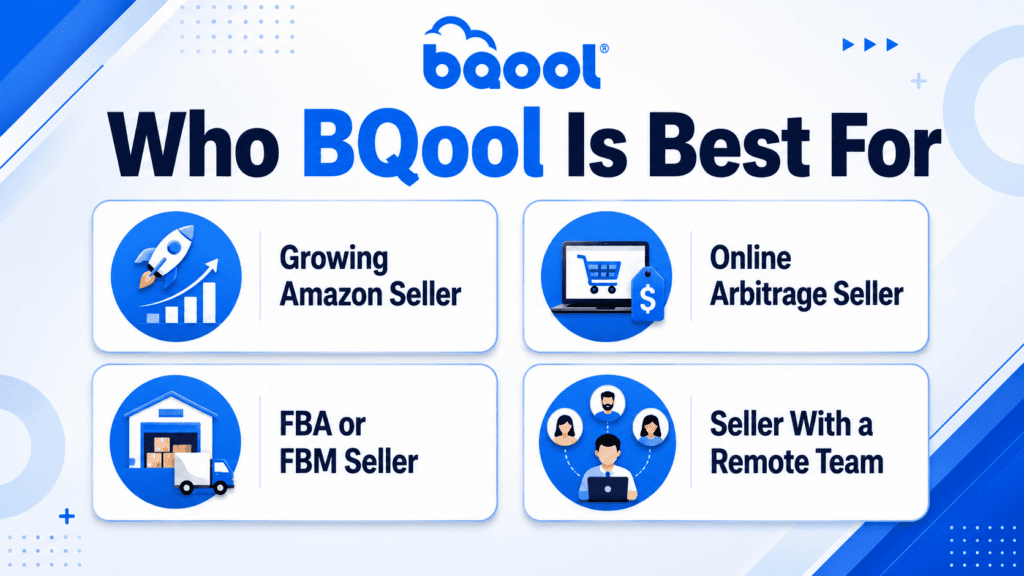
BQool may be a good fit for:
- Amazon sellers whose catalogs are becoming difficult to manage manually
- Online arbitrage sellers with many active listings
- FBA and FBM sellers competing for the Buy Box
- Sellers who want different pricing strategies for different products
- Teams that use SellerAmp during the sourcing process
- Sellers who want more control than a basic rule-based repricer provides
- Businesses that need to manage inventory age and cash flow more closely
A brand-new seller with only a handful of listings may not need automated repricing yet.
You may be able to manage your prices manually while you learn how the marketplace works.
But as your inventory grows, the time required to monitor every product can become overwhelming.
That is when a repricer can become an important part of your business.
Try BQool Free for 30 Days
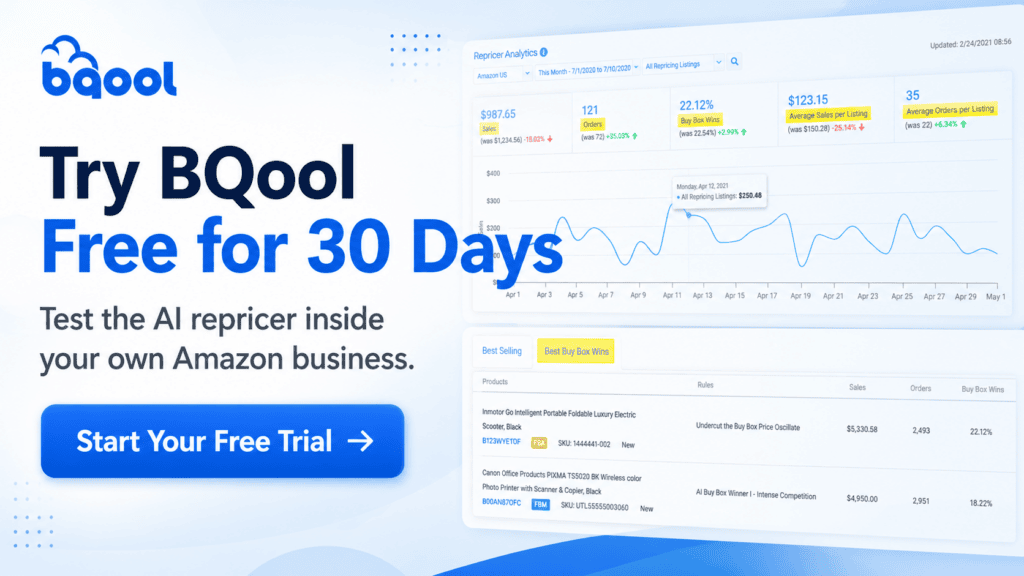
You can test BQool inside your own Amazon business with an extended 30-day free trial through my link below:
Start Your Free 30-Day BQool Trial
Frequently Asked Questions
No.
If you only have a small number of listings, you may be able to manage your prices manually.
A repricer becomes more valuable as your catalog grows and it becomes harder to monitor every product consistently.
BQool allows you to set minimum and maximum prices that act as guardrails for your repricing strategy.
You are still responsible for calculating and entering accurate pricing limits.
Yes.
The SellerAmp integration allows sellers to enter the product cost, additional expenses, minimum price, maximum price, and repricing strategy before the inventory becomes active on Amazon.
BQool offers conditional repricing rules that can change how a product is repriced when specific conditions are met.
Inventory age is one of the conditions that can be used.
Yes.
You can choose different repricing strategies depending on whether your goal is to balance sales and profit, increase profitability, maximize profit, or increase sales velocity.
No repricer can guarantee that you will win the Buy Box.
A repricer can help you compete more effectively, but Amazon considers several factors when determining which seller receives the Buy Box.
BQool can be used as part of a team workflow.
In my business, multiple team members use the software to manage pricing, review inventory, and leave notes.
Final Thoughts
A good repricer will not fix a bad product.
But it can help a good product sell faster, protect your profit, and keep your cash moving.
In my online arbitrage business, we sometimes invest more than $100,000 per month into inventory.
I need that money to come back, and I need it to come back quickly so I can continue reinvesting into new products.
That does not mean I want to give products away or automatically become the lowest-priced seller.
I still want to protect my:
- Profit
- Margin
- ROI
- Cash flow
The goal is to find the right balance between profitability and sales velocity.
BQool gives me the ability to set pricing guardrails, choose different AI strategies, track inventory age, automate advanced pricing decisions, and connect the entire process with SellerAmp.
It is also simple enough for my team to use without creating an overly complicated workflow.
That combination of control, automation, and ease of use is why I have continued using BQool for more than five years.
Watch My Full BQool Review
Why I Chose BQool AI Repricer Over Other Amazon Repricers
Get an Extended 30-Day Free Trial

Hey, I’m Steve
I'm just an average guy who reached a point in life where I grew weary of the corporate grind and decided to forge my own path.

Welcome to my website where I share my journey as an entrepreneur and offer support to those who aspire to start their own businesses and transform their lives, just like I did.
I understand the challenges and frustrations that come with breaking away from the traditional nine-to-five routine. That's why I created this platform – to provide inspiration, guidance, and practical tips to help you navigate the exciting world of entrepreneurship.







360 Bloomfield Ave, Suite 301,
Windsor, CT, 06095, United States
© Copyright 2026 | All Rights Reserved